Live Virtual Receptionist vs AI Receptionist Guide
Compare live virtual receptionist services with AI receptionists for booking calls, pricing, coverage, and customer fit. See what to choose.
TL;DR
A live virtual receptionist is best when your calls require human judgment, emotional nuance, detailed intake, or complex exceptions. An AI receptionist is often the better fit for small appointment-based businesses that mainly need someone to answer calls, answer common questions, capture details, and help book appointments after hours without paying full-time front desk costs.
For salons, spas, pet groomers, fitness studios, and wellness practices, the practical decision is not “human or AI?” It is: how many calls are routine booking calls, how often do you miss them, and how much are you paying to cover them?
If most calls are “Are you open?”, “How much is a haircut?”, “Do you have Saturday availability?”, or “Can I reschedule?”, start by comparing DeskBuddy’s AI phone receptionist with live answering services. If your calls involve urgent judgment, legal intake, medical triage, or sensitive complaints, keep a trained human in the loop.
What live virtual receptionists and AI receptionists each do well
A live virtual receptionist service uses remote human receptionists to answer calls, take messages, transfer calls, and sometimes schedule appointments. An AI receptionist, such as DeskBuddy for local service businesses, answers calls 24/7, speaks naturally with callers, handles common questions, and helps with appointment workflows.
Here is the simple split:
- Choose a live virtual receptionist when calls often need empathy, judgment, negotiation, or unusual instructions.
- Choose an AI phone receptionist when calls are repetitive, booking-heavy, after-hours, and tied to a calendar.
- Use both when you want AI to cover routine calls and a human to handle exceptions.
For small shops, the big operational issue is missed calls. Hiring a dedicated person also means wages, payroll taxes, training, breaks, sick days, and coverage gaps. That is why many owners compare a virtual receptionist answering service with AI before hiring.
Feature comparison: availability, consistency, scheduling, language support, and handoff
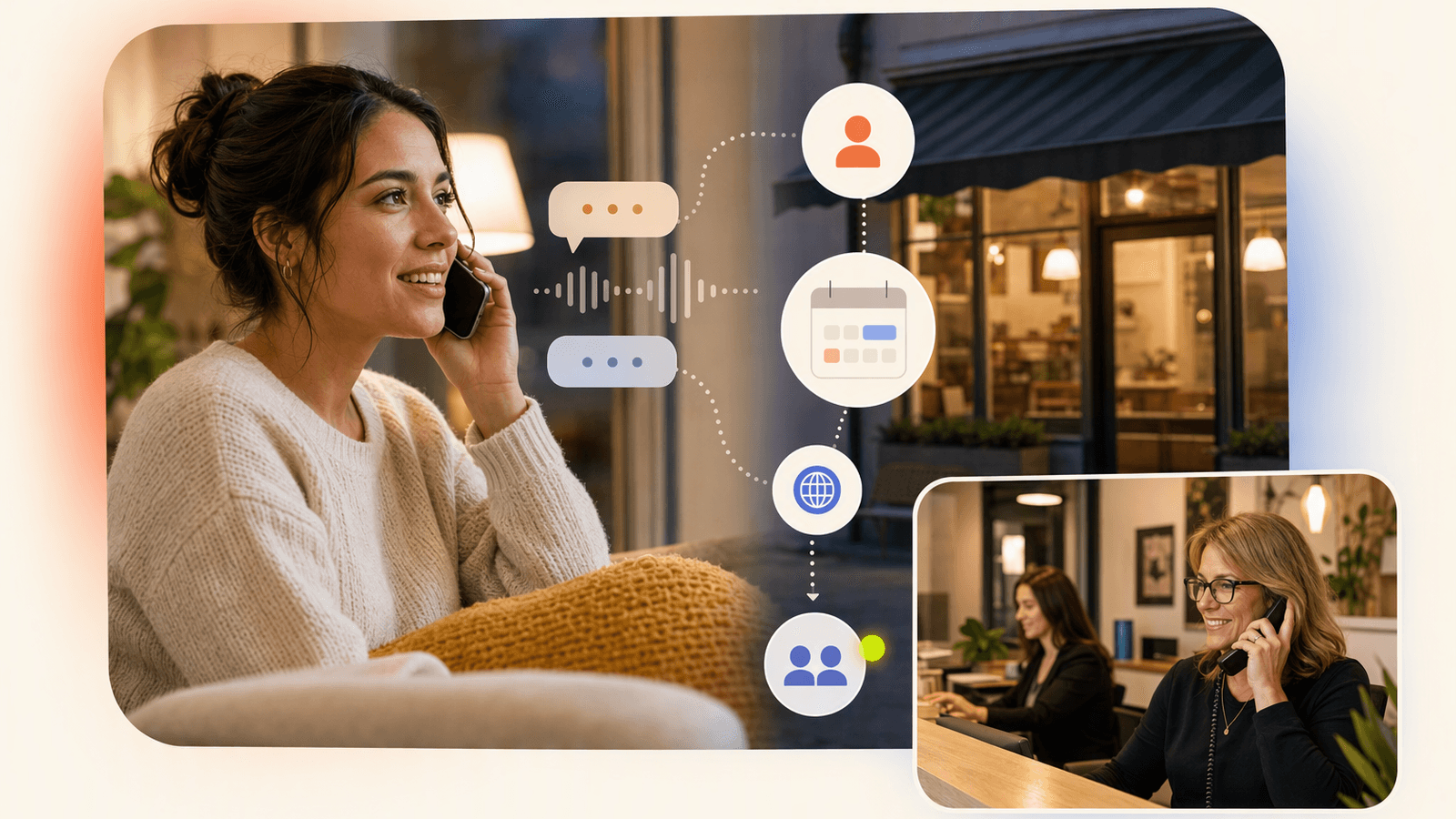
The best choice depends less on the label and more on the workflow. A virtual live receptionist may sound warmer on complicated calls, but an AI receptionist can be more consistent for repeated booking questions and after-hours coverage.
| Criteria | Live virtual receptionist | DeskBuddy AI receptionist |
|---|---|---|
| Availability | Often broad coverage; exact hours depend on provider and plan | 7×24 call answering |
| Consistency | Depends on training, agent notes, and turnover | Uses the same business rules every call |
| Appointment booking | Some services offer scheduling; software access varies by provider | Syncs with Google Calendar, Mindbody, and Square |
| Language support | Varies by service and staffing | Supports English, Spanish, and Chinese |
| Setup | Usually requires call scripts, greetings, escalation rules | Built for 5-minute setup without technical work |
| Handoff | Human can transfer or message based on plan | Escalates complex cases to the business |
| Best fit | Complex intake, emotional calls, high-touch industries | Routine booking, after-hours calls, small service teams |
For a salon owner, consistency matters more than a fancy script. If a caller asks, “Do you have availability for balayage after 5?” the receptionist must know the service duration, calendar openings, and where to place the booking. DeskBuddy connects with Google Calendar appointment workflows, Mindbody scheduling for wellness teams, and Square-connected service businesses so the call can support the booking process instead of just creating a message for later.
Pricing comparison: live receptionist services vs DeskBuddy AI plans

Live answering service pricing can be hard to compare because providers charge differently: per call, per minute, by plan tier, by transfer, or by receptionist time. Always check the official pricing page and ask what counts as a billable call.
Public examples show the range:
- ReceptionHQ’s site mentions plans starting from $25/month and an introductory 15-call offer for $39.
- Alliance Virtual Offices’ live receptionist page headline advertises live receptionists from $125/month.
- Ruby and Smith.ai publish service details online, but plan structures and prices may change.
- DeskBuddy’s supplied pricing is subscription-based: Standard at $39.9/month and Professional at $99.9/month.
| Option | Public pricing signal | What to verify |
|---|---|---|
| ReceptionHQ | Plans starting from $25/month; 15-call offer for $39 shown on public page | Included calls, transfer fees, scheduling access, after-hours rules |
| Alliance Virtual Offices | Live receptionist page advertises from $125/month | Included minutes/calls, overage, hours, call complexity |
| Ruby | Official site describes virtual receptionist services | Current plan pricing, call limits, scheduling capabilities |
| DeskBuddy Standard | $39.9/month, 100 calls/month, 1 location | Overage: $1.00/call |
| DeskBuddy Professional | $99.9/month, 300 calls/month, up to 5 locations | Overage: $0.50/call |
A realistic scenario: a solo hairstylist misses 10 calls per month while working with clients. If only two callers would have booked a $100 service, the missed revenue is larger than DeskBuddy’s Standard plan. For a deeper cost check, compare your current spend against DeskBuddy pricing for small service businesses and include hidden costs: time returning voicemails, interrupted appointments, evening callbacks, and customers who never leave a message.
Customer experience comparison for appointment calls
For appointment calls, customers usually want three things: a quick answer, clear availability, and confidence that the booking is handled.
A live receptionist can be excellent when the caller is frustrated, confused, or asking for a custom exception. A trained person can hear hesitation, slow the conversation down, and reassure the caller.
An AI receptionist works well when the caller has a practical job to finish:
- “Can I book a manicure tomorrow?”
- “What time do you close?”
- “Can I move my appointment from Friday to Monday?”
- “Do you take new clients?”
- “How much is a grooming appointment for a small dog?”
DeskBuddy is built around these service-business calls. It answers naturally, collects the needed details, supports multiple languages, and helps move the customer toward a booked appointment instead of a voicemail.
The key difference: many virtual receptionist reviews focus on friendliness and professionalism. Those matter. But for appointment-heavy shops, also ask: did the call end with a booking, a clear next step, or another task for the owner?
When a live receptionist is still the right choice
A live virtual receptionist is still the safer option when calls require judgment that should not be delegated to AI alone.
Choose a live receptionist when you regularly handle:
- Legal intake or case qualification
- Medical urgency, clinical judgment, or insurance complexity
- Emotional complaints from upset customers
- High-value sales calls with negotiation
- VIP clients who expect a named human contact
- Complex multi-step intake that changes by caller
- Calls where liability or compliance requirements are unclear
For example, a med spa that receives routine booking calls may use AI for appointment requests, but a clinic handling sensitive symptoms should have trained staff manage escalation rules. Similarly, a dog daycare can use AI to answer hours and booking questions, while bite incidents or emergency health concerns should go directly to a human.
If you choose live coverage, ask providers for specifics: training process, quality review, call recording policy, supported languages, scheduling software access, and what happens when call volume spikes.
When an AI receptionist is a better fit for small service businesses
An AI receptionist is often the better first step when you are not trying to build a call center; you just need someone to pick up the phone.
DeskBuddy is a strong fit when:
- You run a salon, spa, nail studio, pet grooming shop, gym, yoga studio, or wellness practice.
- Most calls are about pricing, hours, availability, services, rescheduling, or basic intake.
- You miss calls during appointments, after hours, or on weekends.
- You cannot justify $2,500–$4,000/month for a full-time receptionist.
- Your customers still prefer calling instead of only booking online.
- You want English, Spanish, and Chinese support.
- You already use Google Calendar, Mindbody, or Square.
It is not the right fit for every business. If you receive almost no phone calls, are 100% online booking, or need enterprise call-center capacity, DeskBuddy is likely not the first tool to buy.
For appointment-based shops, the strongest use case is coverage without disruption. A massage therapist can stay focused during a session. A pet groomer can keep both hands on the dog. A salon manager can stop choosing between answering the phone and helping the client in the chair.
If that sounds familiar, review DeskBuddy’s appointment booking AI and map it against your top five call types.
Migration guide: moving from live answering to AI without confusing customers
Switching from a virtual receptionist service to AI should be gradual. The goal is not to surprise callers; it is to make the experience faster and more reliable.
- List your top 20 call reasons. Pull from call notes, voicemail, texts, and staff memory. Mark which are routine and which need a human.
- Write simple business rules. Include hours, services, prices or price ranges, cancellation rules, booking limits, and when to transfer.
- Connect your calendar. Use DeskBuddy calendar integrations for Google Calendar, Mindbody, or Square.
- Start with after-hours coverage. This is the lowest-risk test because the alternative is often voicemail.
- Review early calls. Check whether callers got answers, bookings, or clean handoffs.
- Keep human escalation clear. If a customer is upset, asks for an exception, or needs a decision, route it to the owner or manager.
- Update your greeting only if needed. Customers care more about being helped than about the staffing model.
A good migration does not remove humans from the business. It protects staff from routine interruptions so they can give better in-person service.
Final decision framework
Use this quick framework before choosing a live virtual receptionist, an AI receptionist, or a mix of both.
| If this is true | Best choice |
|---|---|
| You need empathy-heavy intake or complex judgment | Live virtual receptionist |
| You mostly miss booking and rescheduling calls | AI receptionist |
| You need 24/7 coverage at a small-business price | AI receptionist |
| You need a human to qualify leads with nuance | Live receptionist |
| You have multiple locations but simple booking rules | AI receptionist or hybrid |
| You want routine calls handled and exceptions escalated | Hybrid, with AI first |
The most practical test: track missed calls for two weeks. Write down the reason, time, and likely value of each call. If missed calls are mostly appointment requests, an AI phone receptionist may solve the real problem faster and at a lower monthly cost. If calls are messy, emotional, or high-risk, pay for human coverage.
How to Build an App Like This with Tencent RTC
To build an AI receptionist experience, treat the phone call as a real-time audio workflow: capture caller speech, stream it to speech recognition and an AI dialog layer, apply business rules, then return synthesized speech with low latency. Tencent RTC can provide the real-time audio transport layer for app-based calling, staff handoff, or an admin console where owners review live calls. Start with a room per call, issue short-lived user credentials from your backend, and keep calendar booking logic server-side so callers cannot manipulate availability. Tencent’s official documentation for integrating real-time audio/video is available at TRTC Quick Start.
// Server-side pseudo-code: create a call session for one receptionist call
const callSession = {
  roomId: `reception-${Date.now()}`,
  callerId: "+15551234567",
  businessId: "salon_123",
  escalationUser: "front_desk_manager"
};

// Return roomId and RTC credentials to the client or voice gateway.
// Call event handler: escalate only when business rules require a human
if (intent === "complaint" || intent === "medical_urgency" || confidence < 0.75) {
  transferToHuman(callSession.escalationUser);
} else {
  continueAIReceptionistFlow(intent, calendarAvailability);
}
Never miss another customer call.
Get started freeKeep reading
AI Phone Answering Service vs Live Answering: 2026 Guide
Compare ai phone answering service options with live answering for booking calls, pricing, handoff, and 24/7 coverage. Try DeskBuddy today.

Answering Service Pricing Comparison: 2026 Cost Guide
Compare answering service pricing models, hidden fees, and AI receptionist costs. Use practical examples to choose the best fit.
Virtual Receptionist Pricing: What Small Businesses Pay
Compare virtual receptionist pricing, per-call costs, and AI options for small businesses. See when DeskBuddy is the better fit.