24/7 Call Answering Service for Appointment Businesses
Compare 24 7 call answering service options for salons, spas, pet care, and fitness studios. See how DeskBuddy books calls—start free.
TL;DR
A 24 7 call answering service is worth it for appointment businesses when missed calls become lost bookings. For salons, spas, pet groomers, wellness clinics, and fitness studios, the best option should do more than take a message. It should answer common questions, capture new-client details, check availability, book appointments, and escalate to a human when needed.
DeskBuddy is built for that workflow: an AI receptionist for appointment businesses that answers calls 24/7, supports English, Spanish, and Chinese, and syncs with Google Calendar, Mindbody, and Square. Standard starts at $39.9/month, so one recovered appointment can often cover the monthly cost.
Why 24/7 call answering matters for local appointment businesses
Local service businesses often lose bookings because the phone rings at the wrong time.
A stylist is applying color. A massage therapist is in a session. A dog groomer has both hands on a nervous pet. A trainer is coaching a client. The caller does not wait; they try the next business.
For appointment-based businesses, each missed call can represent a $50–$300+ service. That is why a 24/7 appointment call answering solution matters most when you are small enough that every booking counts, but busy enough that staff cannot reliably answer every call.
The staffing cost is real. The U.S. Bureau of Labor Statistics tracks receptionists as a dedicated occupation in its Occupational Outlook Handbook. For many small studios, a full-time receptionist at $2,500–$4,000/month is hard to justify if the main problem is missed calls before opening, after closing, or during peak service hours.
Demand is not disappearing either. Grand View Research reports continued growth in the spa market. More demand is good—but only if your business answers when people are ready to book.
Call scenarios that happen before opening, after closing, and during services
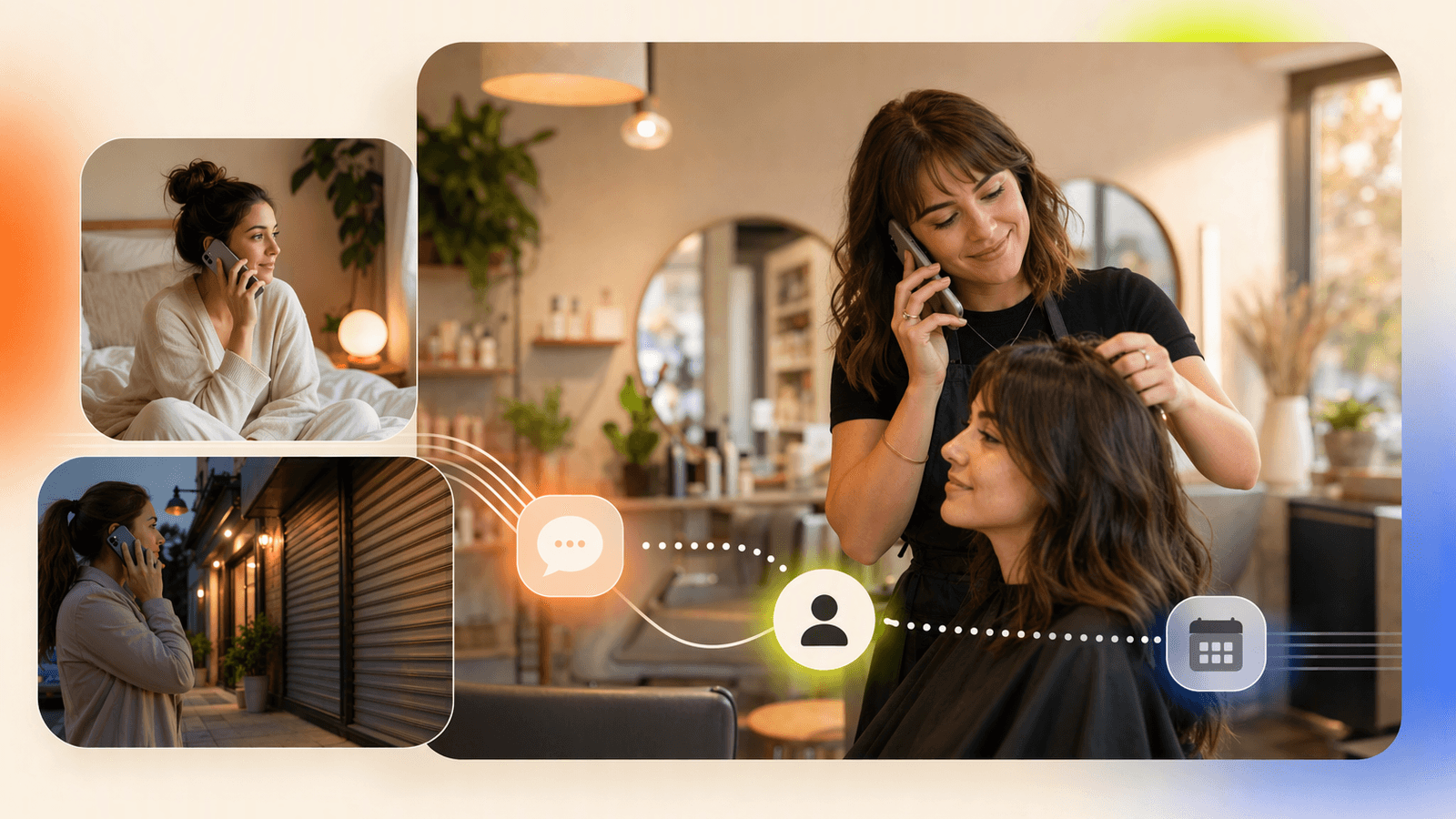
The best after hours answering service should match how real callers behave. They call with a need, a deadline, and a few questions.
| Time | Example caller | What they need |
|---|---|---|
| Before opening | “Can I get a haircut before work tomorrow?” | Hours, availability, duration |
| During services | “Any grooming openings this week?” | Appointment options, pricing range, rules |
| Lunch rush | “Do you do gel removal and a new set?” | Service match, staff availability |
| After closing | “I need a massage Saturday.” | Open slots, location, confirmation |
| Weekend/evening | “Do you offer beginner training?” | FAQ answer, consultation booking |
For a salon call answering workflow, callers may ask whether balayage needs a consultation. For a pet care appointment answering flow, they may ask about breed size, vaccine requirements, or drop-off windows. For a fitness studio phone answering setup, they often ask about first sessions, class times, memberships, and trainer availability.
A voicemail can record those questions. It cannot answer them in the moment or help the caller choose a time.
Feature comparison: voicemail, live answering, AI receptionist, and online booking only
The right choice depends on call volume, budget, and how much booking help callers need.
| Option | Best for | Strengths | Weak spots |
|---|---|---|---|
| Voicemail | Very low call volume | Free, simple | Many callers hang up; no instant booking |
| Live answering service | Human coverage | Human tone, message taking | Per-minute pricing; booking depth varies |
| AI receptionist | Repeatable appointment calls | 24/7 answers, booking help, FAQs | Needs clear rules and escalation settings |
| Online booking only | Clients who already self-book | Clean scheduling flow | Does not help people who prefer calling |
Online booking tools are useful, but they do not replace phone coverage. A client who is driving, multitasking, unsure what to book, or comparing businesses may still call.
A strong virtual receptionist appointment scheduling setup should:
- Greet callers naturally.
- Answer service and policy questions.
- Check the calendar or appointment system.
- Book, reschedule, or escalate when needed.
That is the gap DeskBuddy is designed to cover.
Pricing comparison for around-the-clock coverage
Pricing is where many owners get stuck. A full-time receptionist gives control, but the monthly cost is often too high for a one-location salon or boutique studio. Traditional virtual receptionist services can help, but per-minute billing can become unpredictable.
| Coverage option | Typical cost pattern | Notes for small appointment businesses |
|---|---|---|
| Owner answers calls | “Free” but interrupts services | Hidden cost is lost focus and missed calls |
| Voicemail | $0–low cost | Lowest cost, weakest booking recovery |
| Part-time/front-desk hire | Hourly or monthly payroll | Good support, limited nights/weekends |
| Full-time receptionist | Often $2,500–$4,000/month | Best for high-volume shops needing onsite help |
| Traditional virtual receptionist | Often $1–$3/minute | Costs rise with call length |
| DeskBuddy Standard | $39.9/month | 100 calls/month, one location |
| DeskBuddy Professional | $99.9/month | 300 calls/month, up to five locations, 1:1 support |
DeskBuddy also offers a 7-day free trial with 20 calls and no credit card required. Standard overage is $1.00/call; Professional overage is $0.50/call. See current details on DeskBuddy pricing.
If your average appointment is worth $75, recovering one extra booking in a month can cover the Standard plan.
How DeskBuddy books appointments while you sleep or serve clients
DeskBuddy acts like an always-available front desk for phone calls. It can have a natural conversation, collect details, answer common questions, and help callers book.
A typical after-hours salon call:
- Caller asks for a haircut or color appointment.
- DeskBuddy asks service type, preferred day, and stylist preference.
- DeskBuddy checks availability through your connected calendar or booking system.
- Caller chooses a time.
- DeskBuddy confirms the appointment and captures contact details.
- If the request is complex, urgent, or outside your rules, it escalates.
DeskBuddy supports real-time sync with Google Calendar, Mindbody, and Square integrations. That matters because double-booking quickly creates staff frustration and customer disappointment. Google’s official documentation explains how applications can create and manage Calendar events through the Google Calendar API.
For owners comparing the best virtual receptionist small business options, the key question is not “Can it answer?” The better question is: “Can it help someone book without changing how my business already runs?”
How to set up business hours, service rules, FAQs, and escalation
A good 24/7 answering setup starts with clear rules. Set up these four areas first.
1. Business hours and booking windows
Define open hours, closed days, earliest and latest bookable times, buffer time between services, and staff-specific availability. For example, a spa may allow massage bookings until 6 p.m. but not accept same-day deep tissue appointments after 3 p.m.
2. Service menu rules
List core services in plain language:
- Haircut: 45 minutes
- Root touch-up: 90 minutes
- Full groom for small dog: 2 hours
- First personal training consultation: 30 minutes
Add notes for services that need human review, such as corrective color, aggressive pet handling, injury-related fitness questions, or medical-style wellness concerns.
3. FAQ answers
Start with the 10 questions your staff answers every week:
- “Where are you located?”
- “Do you accept walk-ins?”
- “What is your cancellation policy?”
- “How much does a groom usually cost?”
- “Do I need vaccination records?”
- “Is there parking?”
- “Can I book for two people?”
- “Do you speak Spanish?”
- “What should I do before my first appointment?”
- “Can I reschedule?”
4. Escalation rules
Use escalation for angry or distressed callers, safety concerns, refund disputes, medical or legal questions, VIP clients, and requests outside your service menu. This keeps 24/7 coverage helpful without pretending every call should be handled the same way.
Best practices for making 24/7 answering feel personal
The best after hours phone answering service should sound like your business, not a generic call center.
- Write your greeting the way you speak. “Thanks for calling Maple Street Spa” is better than stiff corporate language.
- Keep policies short. Give the rule, then offer the next step.
- Use caller-friendly service names. Clients say “nail repair,” not always the exact menu name.
- Offer two or three times, not ten. Too many choices slow the call down.
- Tell DeskBuddy what not to book. Complex color correction, anxious large-dog grooming, or injury-related training may need a callback.
- Support multilingual callers if relevant. DeskBuddy supports English, Spanish, and Chinese.
- Review early calls weekly. The first two weeks reveal which FAQs and service rules need tightening.
Also tell your staff how handoff works. If DeskBuddy books a new client overnight, the morning team should know where to see the appointment and what details were captured.
Metrics to track after launch
Track simple numbers for 30 days before and after launch.
| Metric | Why it matters |
|---|---|
| Missed calls | Shows whether coverage is solving the core problem |
| After-hours calls answered | Reveals hidden demand outside business hours |
| Appointments booked by phone | Measures recovered revenue |
| Calls escalated to staff | Shows which situations need human review |
| Frequently asked questions | Helps improve your script and website |
| No-shows or booking errors | Confirms service rules are clear |
| Revenue from recovered bookings | Connects call answering to business results |
A realistic first goal is not perfection. It is fewer missed calls, fewer staff interruptions, and more booked appointments from callers who otherwise would have left a voicemail or called someone else.
How to Build an App Like This with Tencent RTC
To build a DeskBuddy-style calling experience, use Tencent RTC for the real-time voice layer, then connect call events to your AI conversation service, booking system, and escalation workflow. A typical architecture is: inbound phone or in-app call, TRTC room connection, speech-to-text, intent detection, calendar lookup, booking confirmation, and optional human transfer. Tencent’s official TRTC documentation provides implementation guidance for real-time audio/video capabilities at https://trtc.io/document/48196.
A simplified web initialization flow can look like this:
import TRTC from 'trtc-js-sdk';

const client = TRTC.createClient({
  mode: 'rtc',
  sdkAppId: Number(process.env.TRTC_SDK_APP_ID),
  userId: callerId,
  userSig: userSig
});

await client.join({ roomId });
const audioTrack = await TRTC.createMicrophoneAudioTrack();
await client.publish(audioTrack);
After the call starts, send transcript events to your scheduling backend:
app.post('/booking-intent', async (req, res) => {
  const { caller, service, preferredTime } = req.body;
  const slot = await calendar.findAvailableSlot(service, preferredTime);

  if (!slot) return res.json({ reply: 'I can offer another time.' });

  const booking = await calendar.createBooking({ caller, service, slot });
  res.json({ reply: `You are booked for ${booking.time}.` });
});
For production, add authentication, call recording consent where required, retry logic for calendar APIs, and clear escalation rules for emergencies, refunds, complaints, or requests your AI should not handle.
Never miss another customer call.
Get started freeKeep reading
After Hours Virtual Receptionist: Capture Bookings
Learn how an after hours virtual receptionist captures calls, books appointments, and reduces next-day follow-up. Try DeskBuddy.
Bilingual Virtual Receptionist for Appointment Calls
Learn how a bilingual virtual receptionist handles English, Spanish, and Chinese appointment calls. Compare options and try DeskBuddy.
Virtual Medical Receptionist Guide for Small Clinics
Learn how a virtual medical receptionist covers appointment calls, after-hours questions, messages, and handoffs. See the checklist.